

Drive your coding agent from your phone
Save a start-up command for each server and open a terminal straight into your AI coding tool, or any command-line tool. It runs on your server, with your code, at your server's speed. You just steer.

Drive your AI coding agent from your phone, fix servers in a real terminal, and edit files that save straight back to the server. Free: no account, no subscription, no ads.
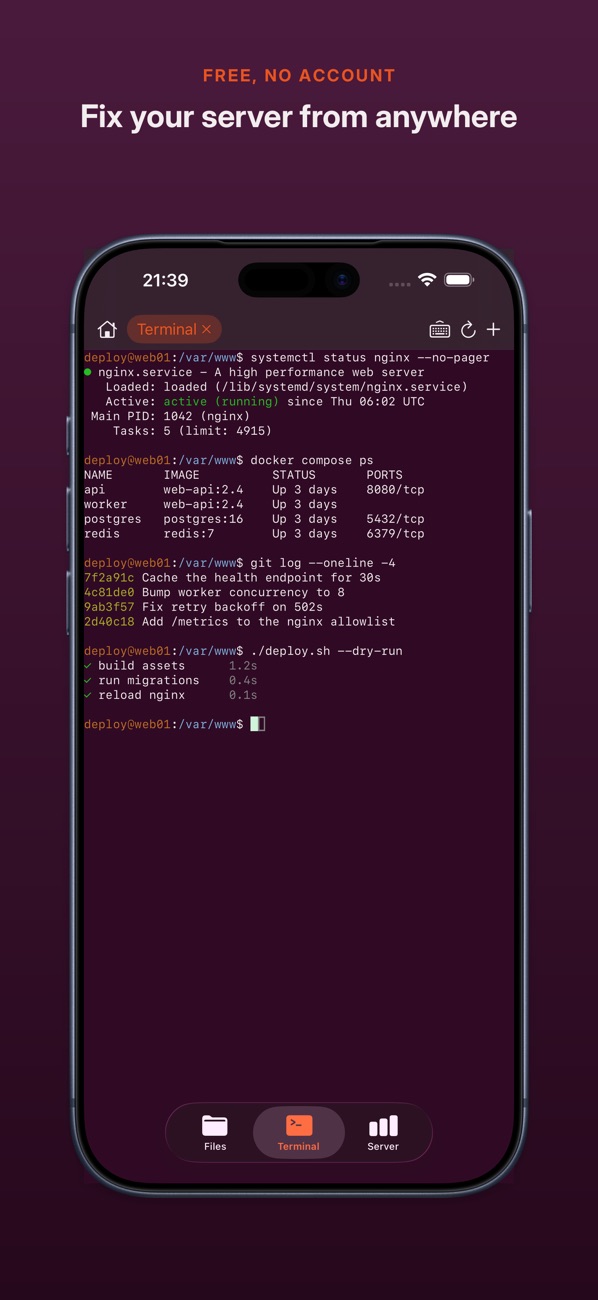
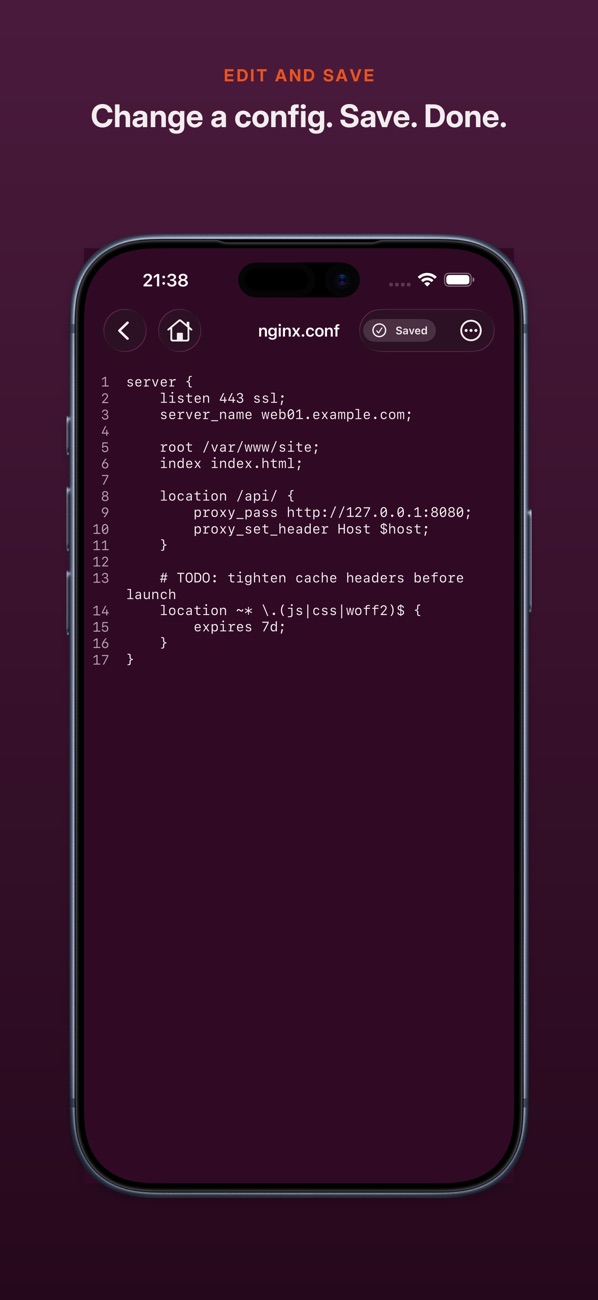
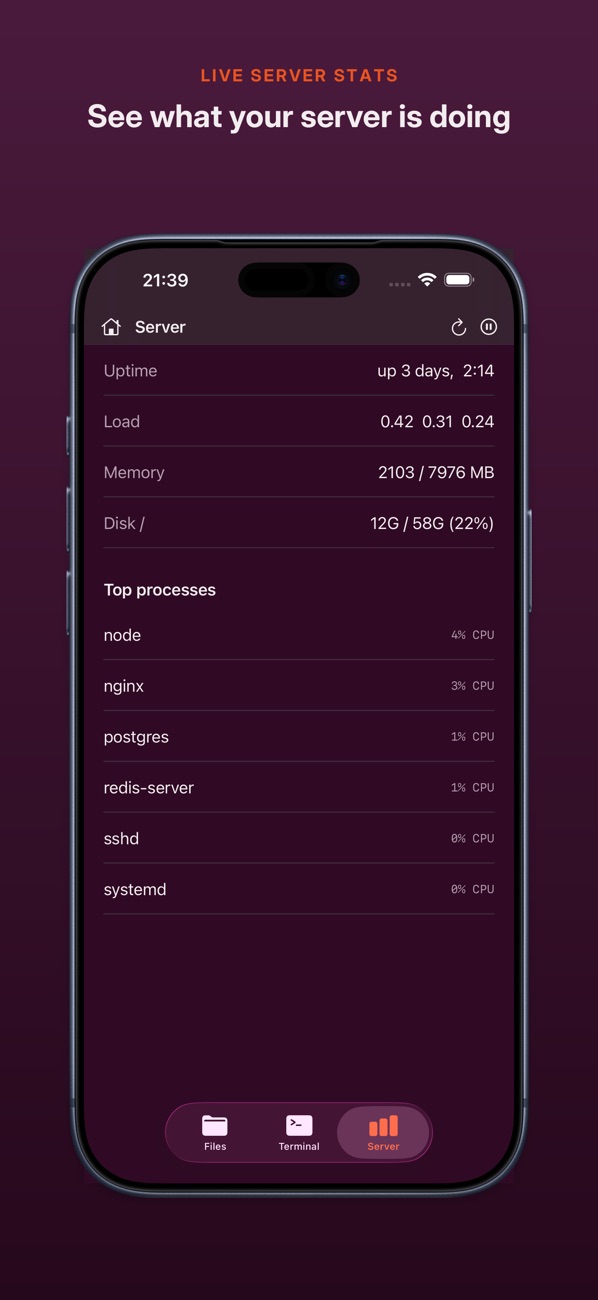
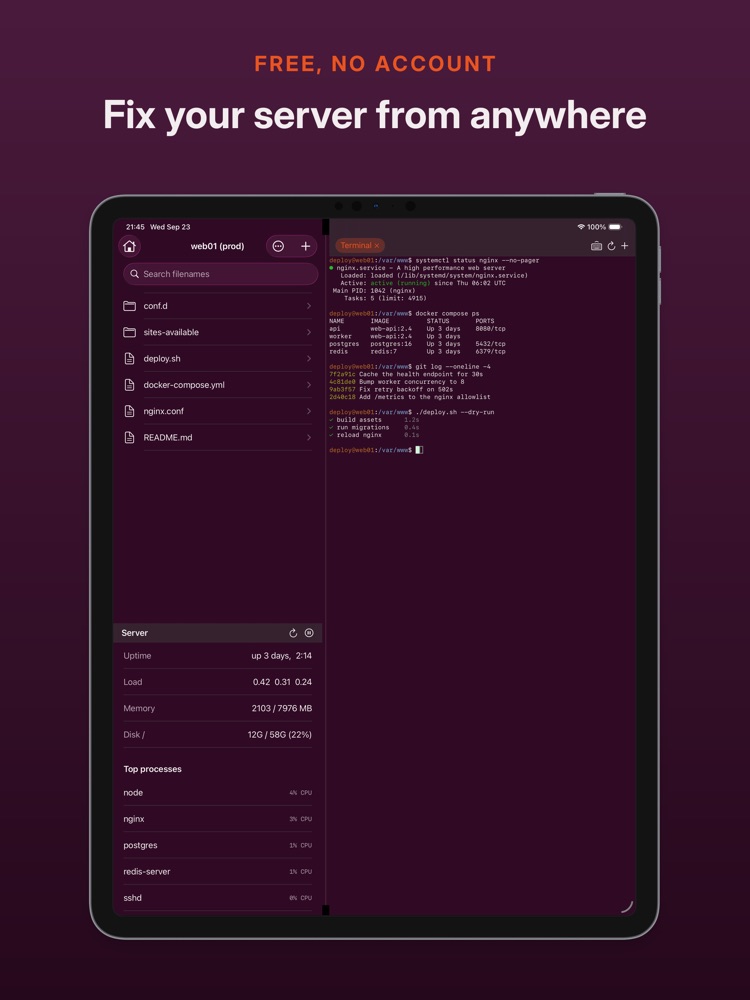
What it does
A real SSH terminal, a file editor that saves straight back to your server, and live server stats, on your iPhone and iPad.
Save a start-up command for each server and open a terminal straight into your AI coding tool, or any command-line tool. It runs on your server, with your code, at your server's speed. You just steer.
The details
| Price | Free. No account, no subscription, no ads. |
|---|---|
| Devices | iPhone and iPad, iOS 17 or later |
| iPad | Files, terminal and server stats side by side; landscape, multitasking and hardware keyboards |
| Sign-in | Password, SSH key (encrypted keys included), or your server's interactive prompt |
| Host keys | Checked on every connection. If one changes, nothing connects until you say so. |
| Passwords and keys | Stored in the iOS Keychain on your device. Your server list can sync through your own iCloud; passwords and keys never do. |
| Tracking | None. The app connects to your servers and nothing else. |
Your VPS, homelab, NAS, build server, or the machine your coding agent lives on.
Compare
Every cell comes from that app's own App Store listing. Each has strengths: if you need Mosh or a Mac app, one of the others may suit you better.
| App | Price | Privacy label | SFTP files | Server stats | Mosh | Needs iOS |
|---|---|---|---|---|---|---|
| WriteAccessAlec Burrett | Free, no in-app purchases | Data Not Collected | Yes, edit in app | Yes | No | 17 |
| TermiusTermius Corporation | Free plan; Pro £12/month or £90/year | Data Linked to You | Yes | Not listed | Yes | 17 |
| Blink ShellBlink Shell, Inc | 14-day trial; in-app purchases £9.99–£19.99 | Data Linked to You | Yes | Not listed | Yes | 17.6 |
| Prompt 3Panic, Inc. | £9.99/year or £49.99 once | Data Not Linked to You | Not listed | Not listed | Yes | 26 |
| Secure ShellFishAnders Borum | Free with ads in terminal; Pro £2.99/month, £12.99/year or £24.99 once | Data Not Linked to You | Yes, via the Files app | Not listed | Not listed | 17.4 |
| WebSSHMengus Arnaud | Free; PRO £12 | Data Not Collected | Yes, edit in app | Yes, Proxmox nodes | Yes | 26 |
From each app's UK App Store listing on 27 October 2026. "Not listed" means the listing doesn't mention it, not that the app can't do it. Prices and features change, so check the App Store before you choose. Privacy label is the developer's own App Privacy declaration.
FAQ
Yes. No account, no subscription and no ads.
Yes. Save a start-up command for each server and WriteAccess opens a terminal straight into it. Claude Code, Codex CLI or any other command-line tool runs on your server, with your code, at your server's speed. You steer from your phone.
Yes. On iPad you get files, terminal and server stats side by side, with landscape, multitasking and hardware keyboard support.
Yes. You can sign in with a password, an SSH key (encrypted keys included) or your server's interactive prompt. Sign-ins that need a second code after the password are not supported yet.
No. It connects to your servers and nothing else: no analytics, no tracking, no middleman. Passwords and keys stay in the iOS Keychain on your device. See the privacy policy.
No. Sessions close when you leave the app, so it is for hands-on work rather than watching long jobs.
Email writeaccess@alecburrett.co.uk with your question or bug report.
Support
Have a question, or want to report a bug? We'd love to hear from you.